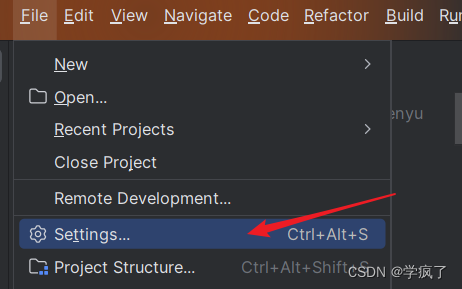
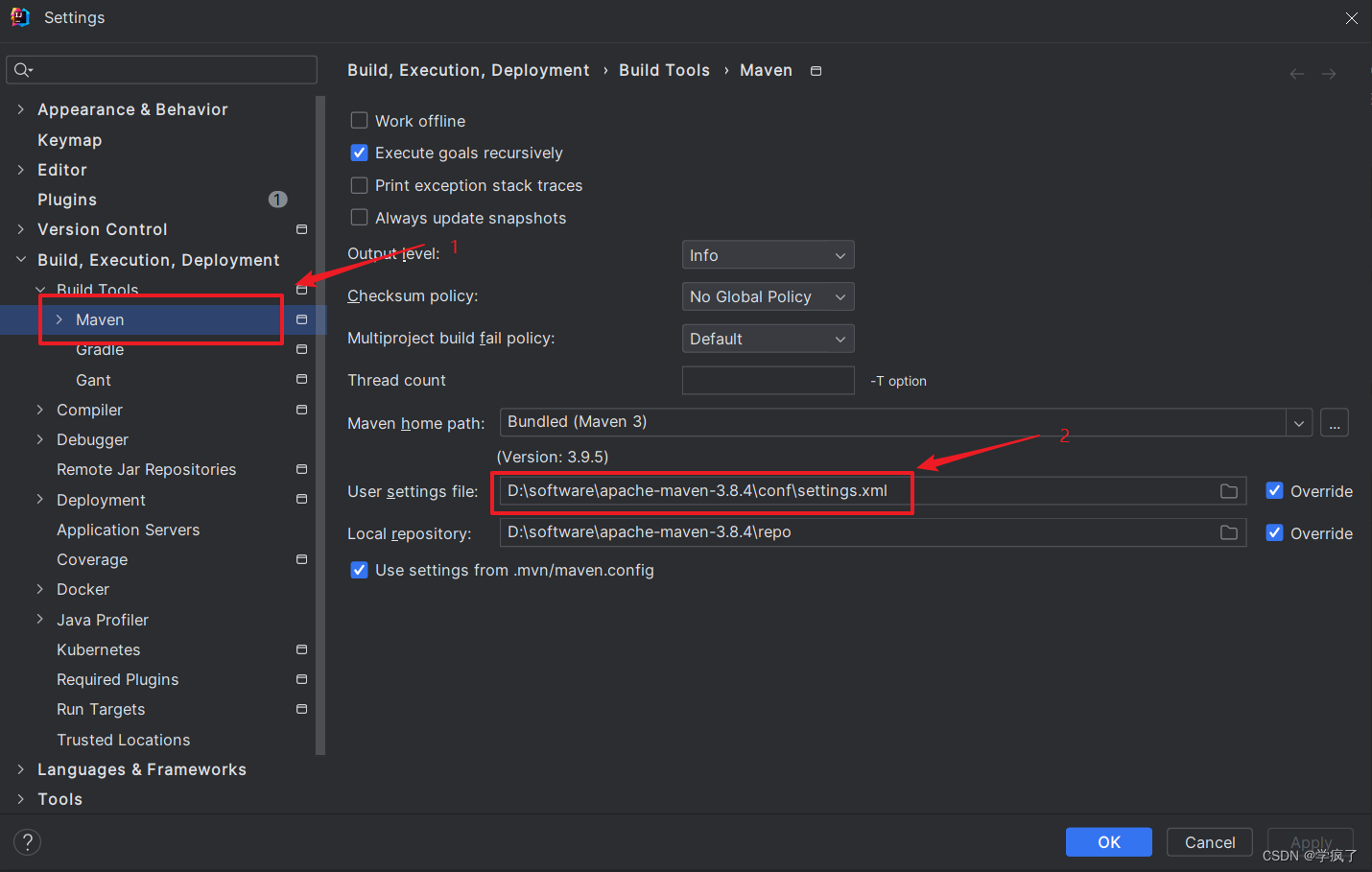
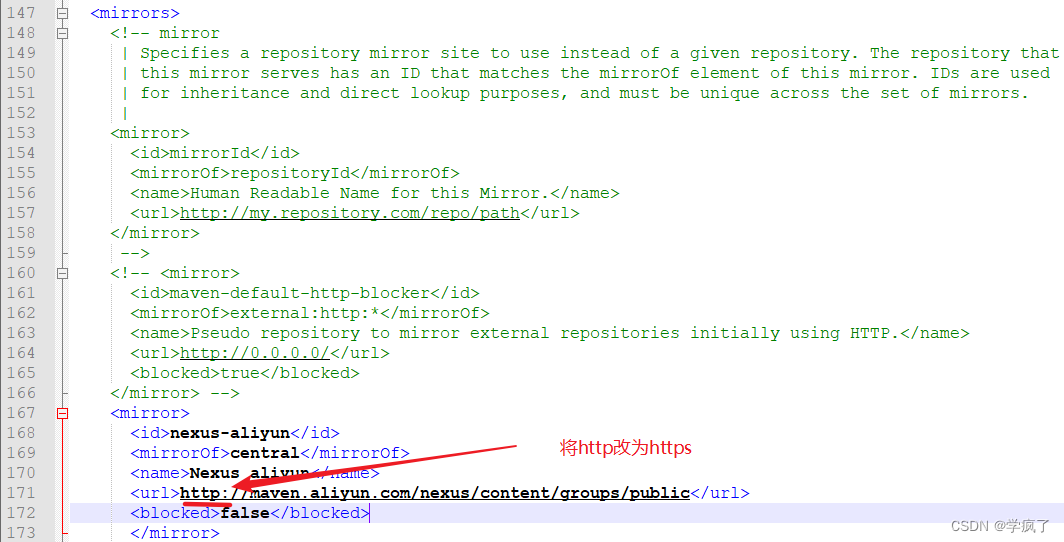
解决:IDEA无法下载源码,Cannot download sources, sources not found for: xxxx 发布时间:2026/9/23 18:56:56 尧图网站建设 原因 Maven版本太高,遇到http协议的镜像网站会阻塞,要改为使用https协议的镜像网站 解决方案 1.打开设置 2. 拿到settings.xml路径 3. 将步骤2里箭头2的User settings file:settings.xml打开,作以下修改 保存即可。如果还不行重启IDEA,再试。 参考内容: https://blog.csdn.net/qq_41980563/article/details/122061818的@酸菜鱼scy的一条评论 网站建设 视觉设计 SEO优化 返回列表
原因 Maven版本太高,遇到http协议的镜像网站会阻塞,要改为使用https协议的镜像网站 解决方案 1.打开设置 2. 拿到settings.xml路径 3. 将步骤2里箭头2的User settings file:settings.xml打开,作以下修改 保存即可。如果还不行重启IDEA,再试。 参考内容: https://blog.csdn.net/qq_41980563/article/details/122061818的@酸菜鱼scy的一条评论