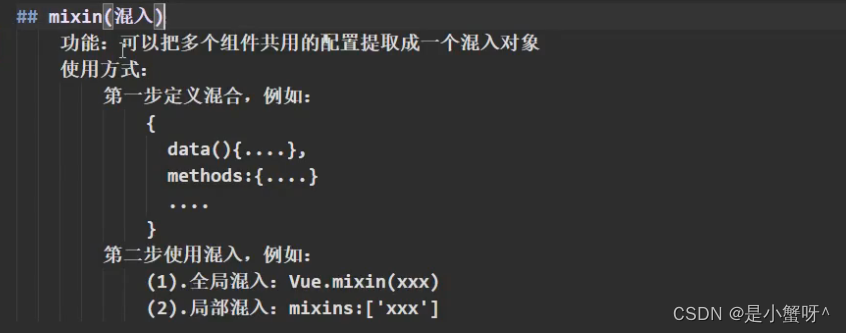
1 ref 属性
ref属性类似于js原生获取DOM元素
<template><div><h1 v-text="msg" ref="title"></h1><button @click="showDom">点我输出上方的Dom元素</button><School ref="sch"></School></div>
</template><script>import School from './components/Schoool'export default {name:'App',components:{School},data(){return{msg:'欢迎学习Vue'}},methods: {showDom() {console.log(this.$refs.title)  // 获取导的真实Dom元素console.log(this.$refs.sch)  // School组件的实例对象(vc)console.log(this.$refs) }},}
</script><style></style>
总结:
2 props 配置
2.1 实现父组件向子组件传递信息
1. App组件向Student传递信息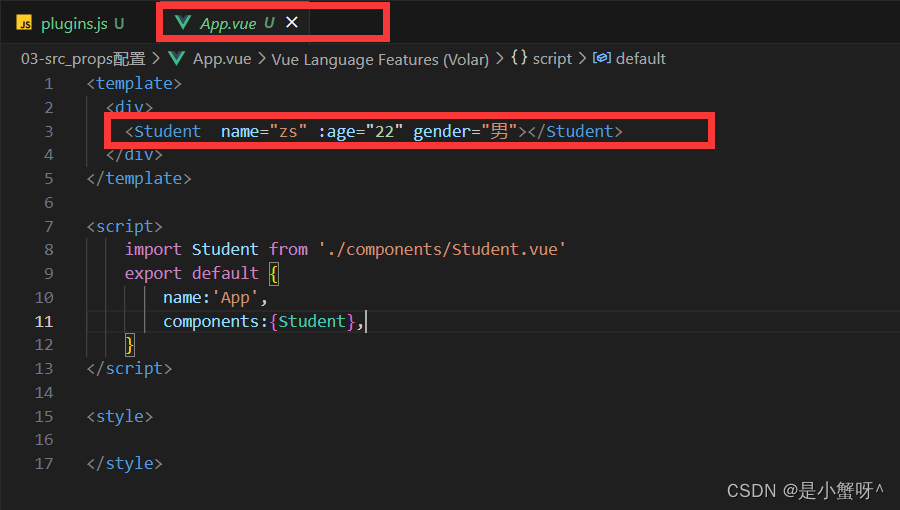
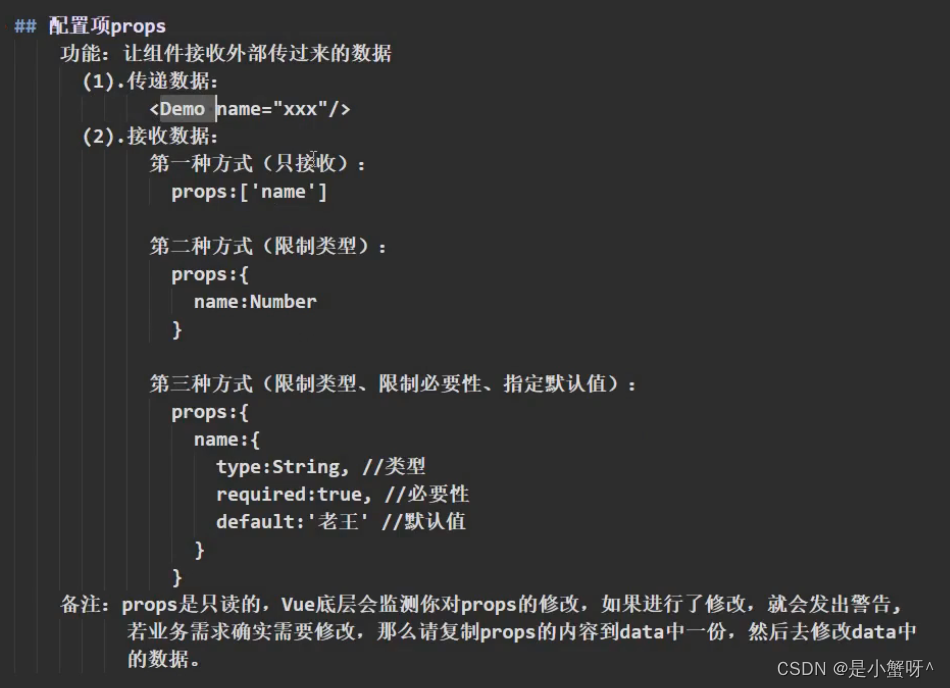
2. Student组件接收,就可以直接使用了。接收方式有3种
<template><div class="student"><h1>{{msg}}</h1><h2>学生姓名: {{ name }}</h2><h2>学生年龄: {{ age + 1 }}</h2><h2>学生性别: {{ gender }}</h2></div>
</template><script>export default {name: 'Student',data() {return {msg:'我是一个学生'}},props:['name','age','gender']  // 1.简单接收// 2.接收的同时对数据进行类型限制// props:{//     name:String,//     age:Number,//     gender:String// },// 3.接收的同时对数据进行类型限制,再加上必要性的限制// props: {//     name: {//         type: String,//         required: true,  //  name 是必要的//     },//     age: {//         type: Number,//         default: 18  // 默认值//     },//     gender: {//         type: String,//         default: '男'//     }// }}
</script><style>.student {color: red;}
</style>
2.2 实现子组件向父组件传递信息
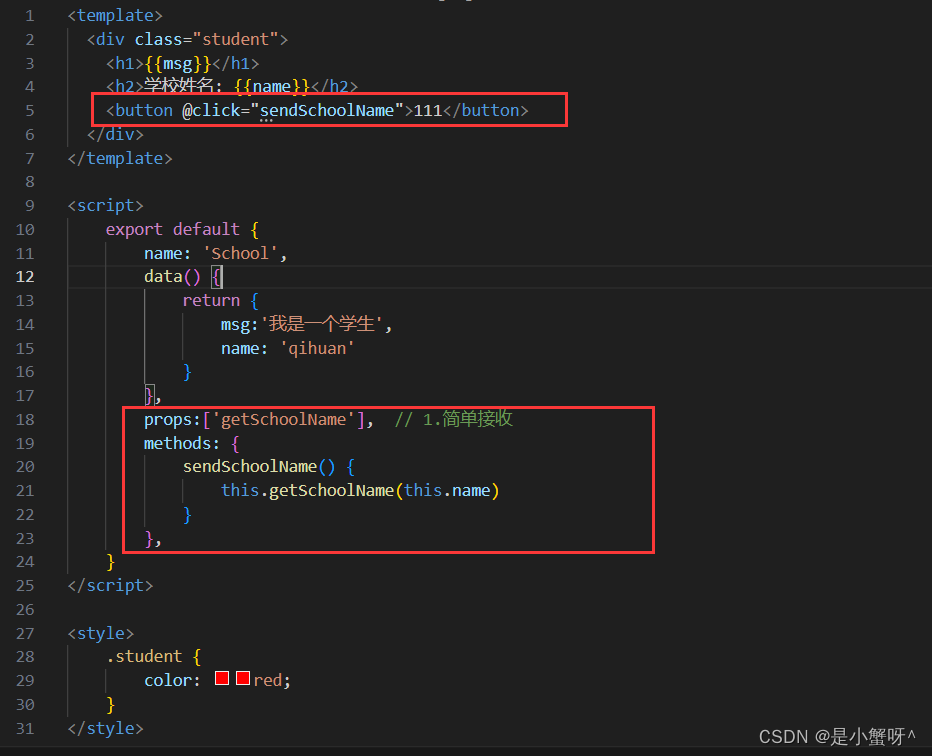
这个需要在父组件中定义一个回调函数,然后将这个函数传递给子组件,子组件调用这个函数,然后父组件就可以收到子组件传递哦过来的参数,由此实现了子组件向父组件传递信息
1. App组件向School组件传递函数,注意这边要用数据绑定,传递的是个函数表达式
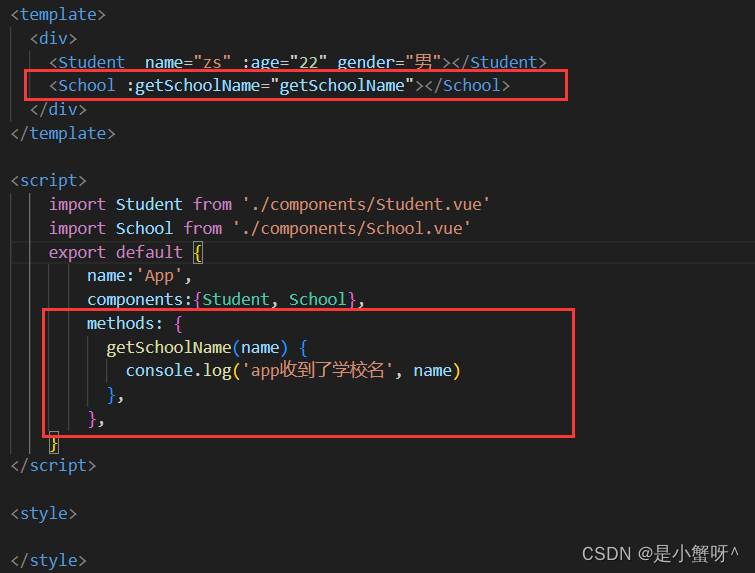
2. School组件接收,并且调用函数
总结:
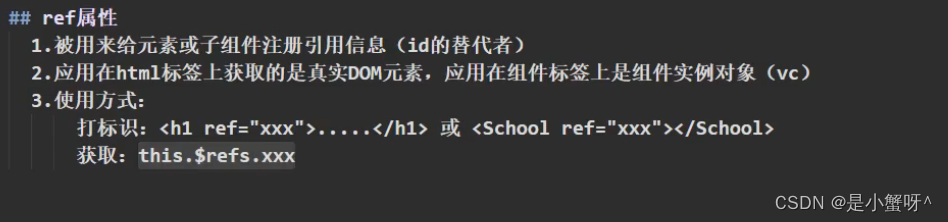
3 mixin混入
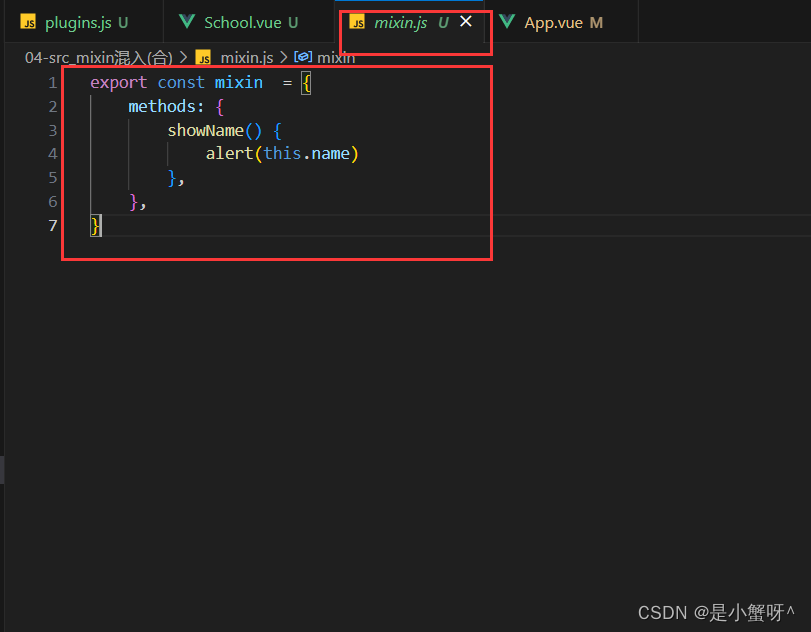
功能:把多个组件共用的配置提取成一个混入对象
第一步:定义混入
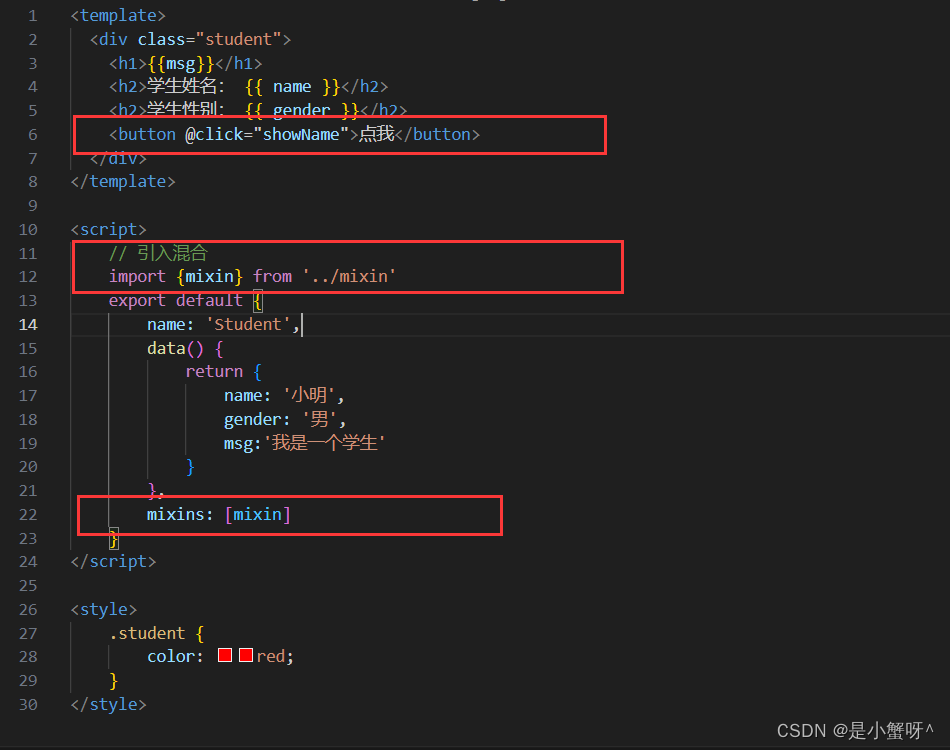
第二步:使用混入
1. 全局使用

2. 局部使用
总结: