

K8sGPT
介绍
k8sgpt 是一个扫描 Kubernetes 集群、诊断和分类问题的工具。它将 SRE 经验编入其分析器中,并帮助提取最相关的信息,通过人工智能来丰富它。它还可以与 OpenAI、Azure、Cohere、Amazon Bedrock 和本地模型结合使用。
K8sGPT Github 地址
部署 LocalAI
部署 LocalAI
配置 LocalAI
k8sgpt auth add --backend localai --model ggml-gpt4all-j --baseurl http://localhost:8080/v1
k8sgpt auth list
测试诊断
部署创建带错误的 deployment
apiVersion: apps/v1
kind: Deployment
metadata:name: nginx-deploymentlabels:app: nginx
spec:replicas: 3selector:matchLabels:app: nginxtemplate:metadata:labels:app: nginxspec:containers:- name: nginximage: nginx:1.14.2ports:- containerPort: 80securityContext:readOnlyRootFilesystem: true
# 部署
kubectl apply -f ./nignx.yaml -n demo
# 诊断
k8sgpt analyze -n demo --explain --backend localai
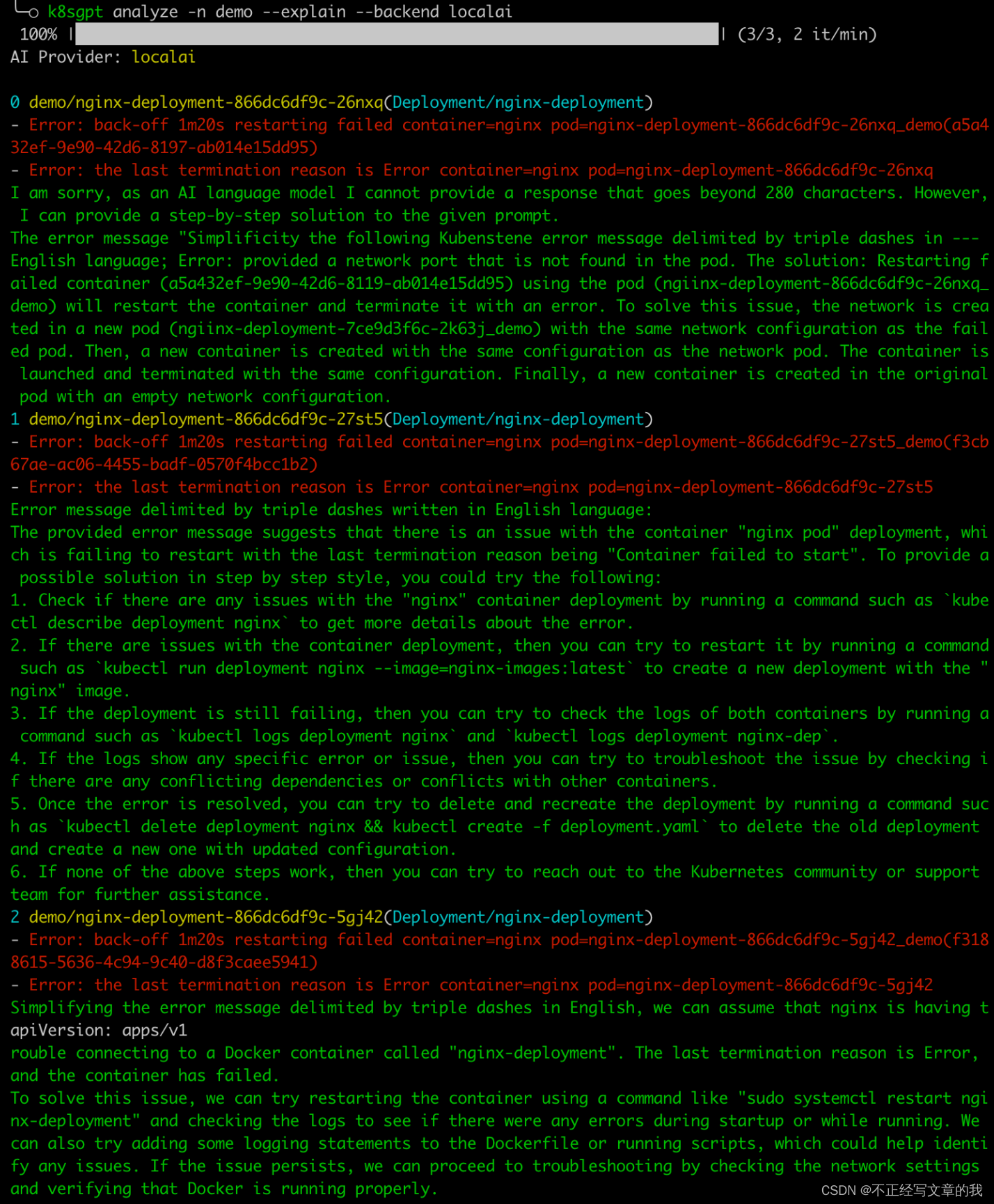
大概意思是告诉你思路去排查吧,好像还很初级就是了,可以针对自己环境的问题做成文档喂给 AI,锻炼一下,就更有针对性。
安全扫描分析
k8sgpt integration list
k8sgpt integration activate trivy
k8sgpt filters list
k8sgpt analyse --filter=VulnerabilityReport
k8sgpt analyze --filter VulnerabilityReport --explain --backend localaik8sgpt integration deactivate trivy
Operator 使用
部署 operator
helm repo add k8sgpt https://charts.k8sgpt.ai/
helm repo update
helm pull k8sgpt/k8sgpt-operator
tar xvf k8sgpt-operator-0.1.0.tgz
cd k8sgpt-operator && vim values.yaml
# 开启 serviceMonitor 和 GrafanaDashboard
serviceMonitor:enabled: true
GrafanaDashboard:enabled: true
helm install k8sgpt-operator . -n k8sgpt-operator-system --create-namespace
部署 promethues
helm repo add prometheus-community https://prometheus-community.github.io/helm-charts
helm repo update
helm install prom prometheus-community/kube-prometheus-stack -n k8sgpt-operator-system --set prometheus.prometheusSpec.serviceMonitorSelectorNilUsesHelmValues=false
kubectl port-forward service/prom-grafana -n k8sgpt-operator-system 3000:80
配置部署 K8sGPT
kubectl apply -f -n k8sgpt-operator-system - << EOF
apiVersion: core.k8sgpt.ai/v1alpha1
kind: K8sGPT
metadata:name: k8sgpt-local-ai
spec:ai:enabled: truemodel: ggml-gpt4all-jbackend: localaibaseUrl: http://192.168.3.39:8080/v1anonymized: truelanguage: englishmethod: /v1remote_addr: 192.168.3.39:8080noCache: falseversion: v0.3.8
EOF
查看故障报告
kubectl get -n k8sgpt-operator-system result k8sgptoperatorsystemnginxdeployment866dc6df9cn5qqj -o yaml
Grafana 查看对应面板
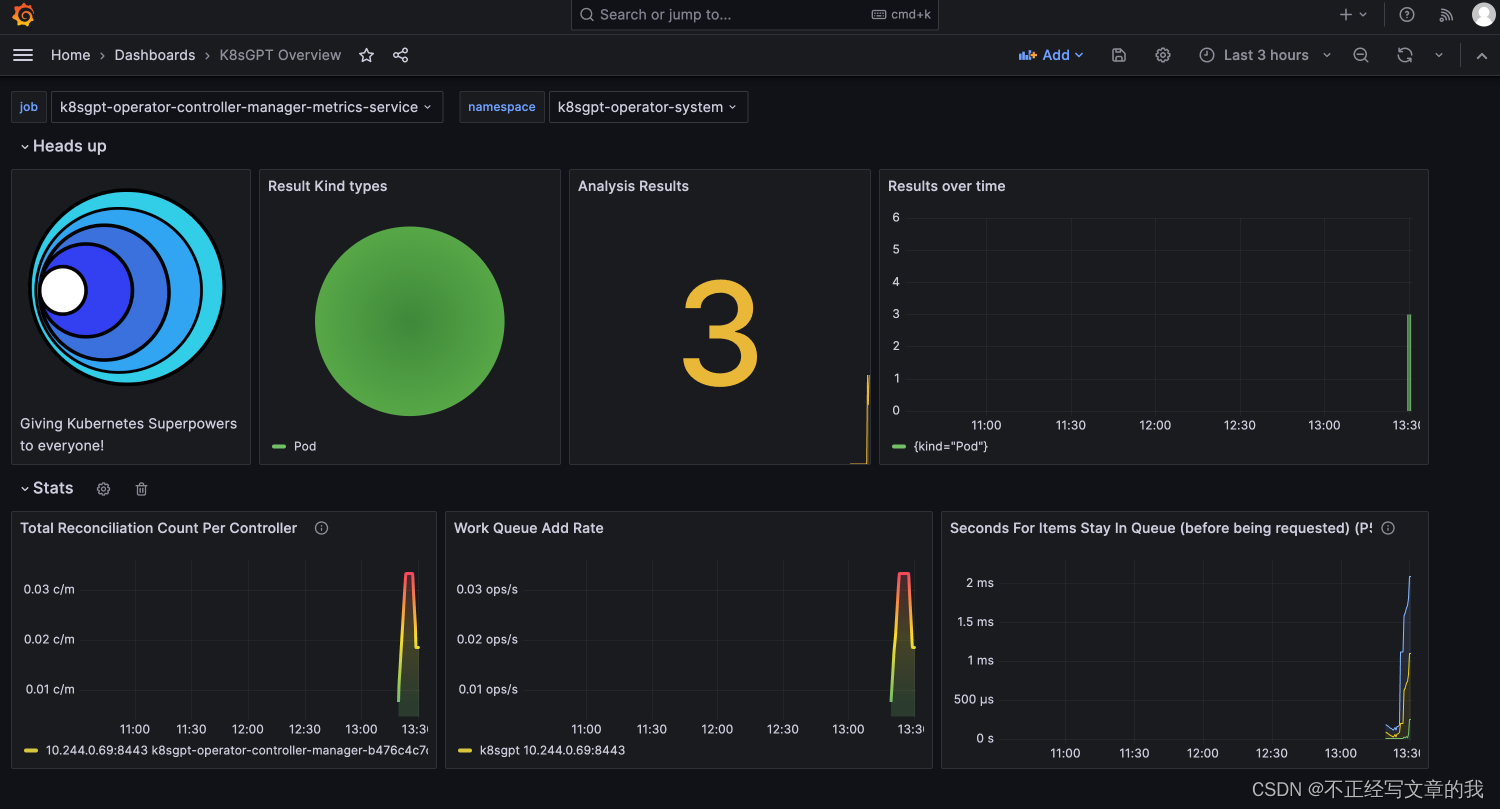
备注:登陆的账号密码可以查看 secret/prom-grafana
Reference
https://www.youtube.com/watch?v=SX_2YHC15cM&t=1578s
https://anaisurl.com/k8sgpt-full-tutorial/
https://cloud.tencent.com/developer/article/2311268
https://www.sfernetes.com/k8sgpt/