
 窗口内运行命令 - 实时获取中间状态)
PyCharm 调试过程中控制台 [Console] 窗口内运行命令 - 实时获取中间状态
- 1. yongqiang.py
- 2. Debugger -> Console
- 3. Show Python Prompt
- References
1. yongqiang.py
#!/usr/bin/env python
# -*- coding: utf-8 -*-
# yongqiang chengfrom __future__ import absolute_import
from __future__ import division
from __future__ import print_functionimport torchdata = torch.randn(4, 4)
print("data:", data)data0 = torch.triu(data)
data1 = torch.triu(data, diagonal=1)
data_1 = torch.triu(data, diagonal=-1)print("data0:\n", data0)
print("data1:\n", data1)
print("data_1:\n", data_1)
/home/yongqiang/miniconda3/envs/pt-1.4_py-3.6/bin/python /home/yongqiang/pytorch_work/end2end-asr-pytorch-example/yongqiang.py
data: tensor([[-1.7405, -1.1455, -0.4935, -0.3035],[-0.0731,  0.5049, -0.1989,  0.1956],[ 1.5103,  0.5175, -0.7471,  1.3337],[-0.5511, -0.7732,  1.4990, -0.1043]])
data0:tensor([[-1.7405, -1.1455, -0.4935, -0.3035],[ 0.0000,  0.5049, -0.1989,  0.1956],[ 0.0000,  0.0000, -0.7471,  1.3337],[ 0.0000,  0.0000,  0.0000, -0.1043]])
data1:tensor([[ 0.0000, -1.1455, -0.4935, -0.3035],[ 0.0000,  0.0000, -0.1989,  0.1956],[ 0.0000,  0.0000,  0.0000,  1.3337],[ 0.0000,  0.0000,  0.0000,  0.0000]])
data_1:tensor([[-1.7405, -1.1455, -0.4935, -0.3035],[-0.0731,  0.5049, -0.1989,  0.1956],[ 0.0000,  0.5175, -0.7471,  1.3337],[ 0.0000,  0.0000,  1.4990, -0.1043]])Process finished with exit code 0
2. Debugger -> Console

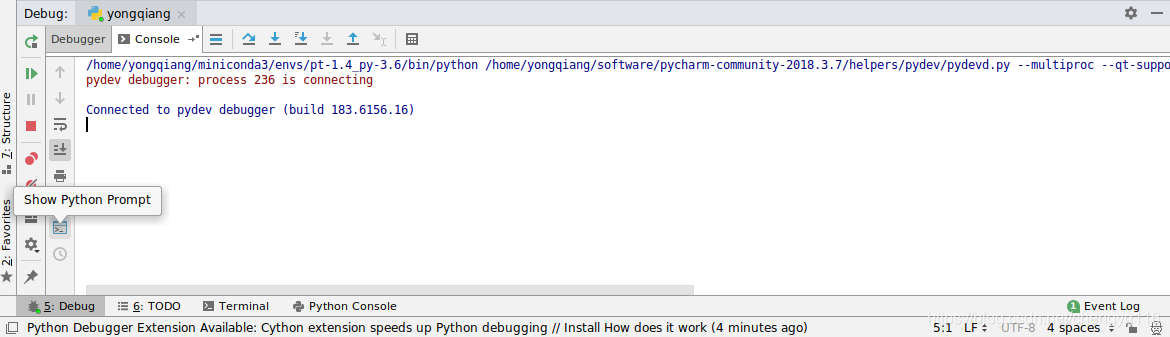
3. Show Python Prompt
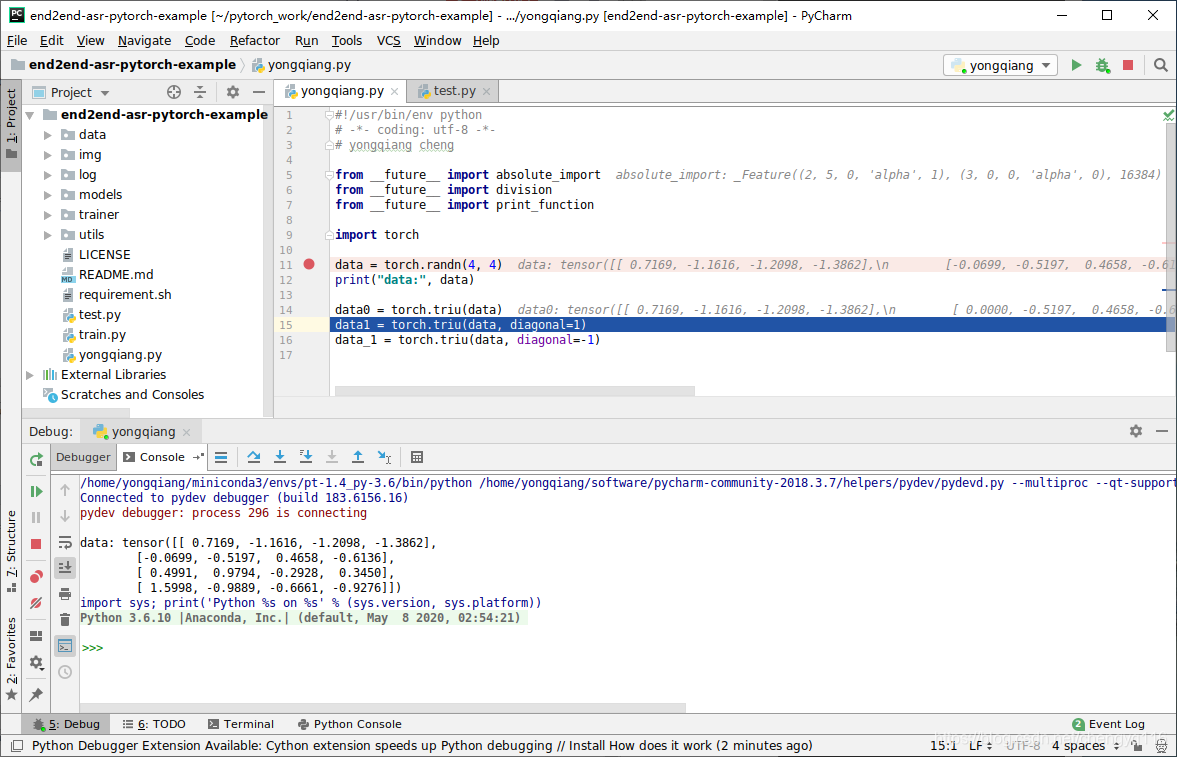
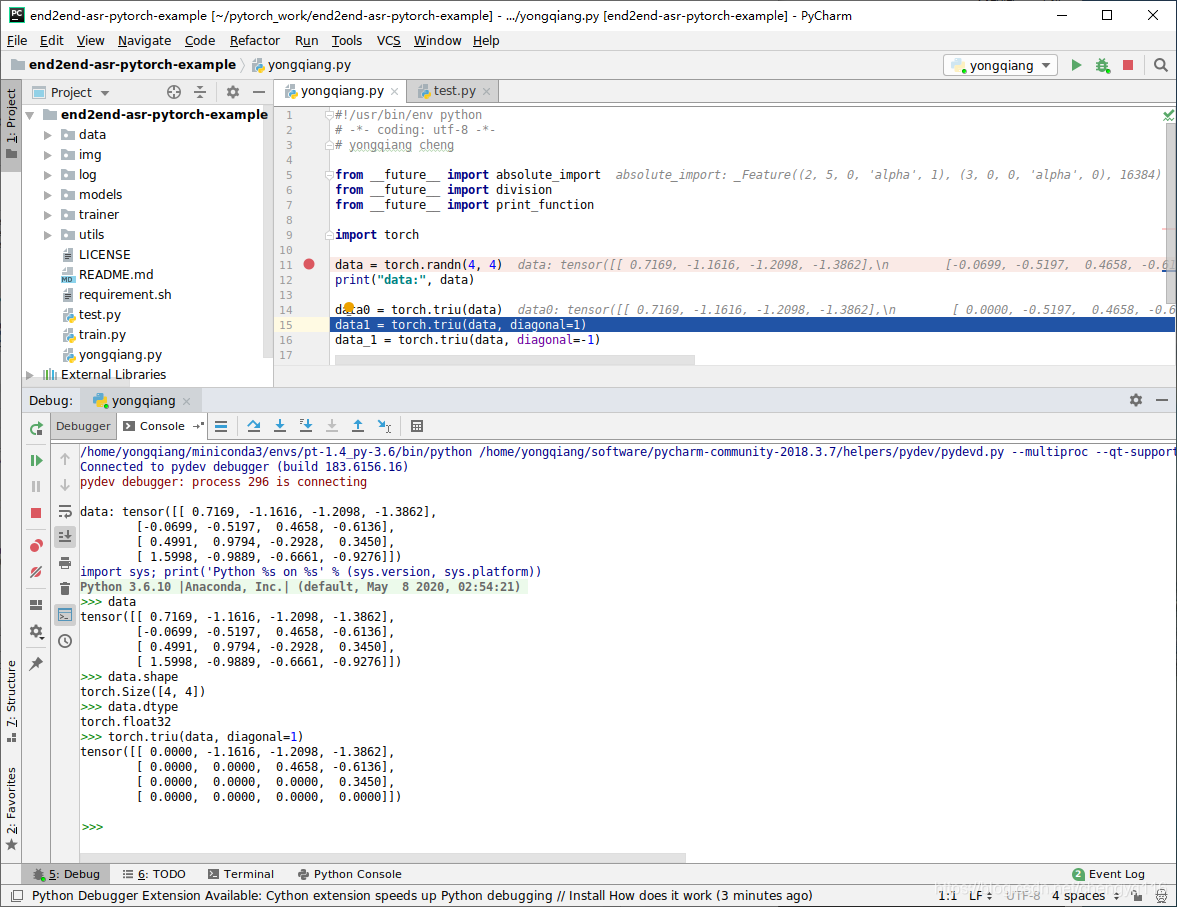
References
[1] Yongqiang Cheng, https://yongqiang.blog.csdn.net/