

文章目录
- 前言
- 一、集成
- 1.引入库
- 2.配置yml
- 二、编码
- 1.Controller
- 2.Service
- 3.Mapper
- 4.Mapper.xml
- 5.StudentResult
- 三、测试
- 1.根据页码和页数
- 2.根据name
- 总结
前言
本篇文章介绍在java中使用pageHelper完成分页的功能。
使用的数据库为mysql,持久层框架mybatis。
一、集成
1.引入库
<!-- pageHelper -->
<dependency><groupId>com.github.pagehelper</groupId><artifactId>pagehelper-spring-boot-starter</artifactId><version>1.2.5</version>
</dependency>
2.配置yml
pagehelper:helperDialect: mysqlreasonable: truesupportMethodsArguments: trueparams: count=countSql
二、编码
1.Controller
@Controller
@RequestMapping("StudentInfoController")
public class StudentInfoController{@Autowiredprivate StudentInfoService studentInfoService;@PostMapping("lists")@ResponseBodypublic Object lists(int pageNum,int pageSize,String name){PageInfo<StudentInfo> page=studentInfoService.lists(pageNum,pageSize,name) ;StudentResult result=new StudentResult(200, "请求成功", page.getList());return  result;}
}
2.Service
public class StudentInfoService{@Autowiredprivate StudentInfoMapper studentInfoMapper;/*** 分页查询* @param pageNum* @param pageSize* @param name* @return*/public PageInfo<StudentInfo> lists(int pageNum,int pageSize,String name){PageHelper.startPage(pageNum, pageSize);List<StudentInfo> list= studentInfoMapper.selectList(name);PageInfo<StudentInfo> pageInfo = new PageInfo<StudentInfo>(list);return  pageInfo;}
}
3.Mapper
@Repository
public interface StudentInfoMapper {List<StudentInfo> selectList(@Param("name") String name);
}
4.Mapper.xml
<select id="selectList" resultMap="BaseResultMap">select * from t_student_info<where><if test="name != null">name = #{name,jdbcType=VARCHAR}</if></where>order by CAST(id AS SIGNED)</select>
5.StudentResult
public class StudentResult implements Serializable {private int code;private String msg;private Object data;public StudentResult() {}public StudentResult(int code, String msg) {this.code = code;this.msg = msg;}public StudentResult(int code, String msg, Object data) {this.code = code;this.msg = msg;this.data = data;}public int getCode() {return code;}public void setCode(int code) {this.code = code;}public String getMsg() {return msg;}public void setMsg(String msg) {this.msg = msg;}public Object getData() {return data;}public void setData(Object data) {this.data = data;}@Overridepublic String toString() {return "StudentResult{" +"code=" + code +", msg='" + msg + '\'' +", data=" + data +'}';}
}
三、测试
1.根据页码和页数
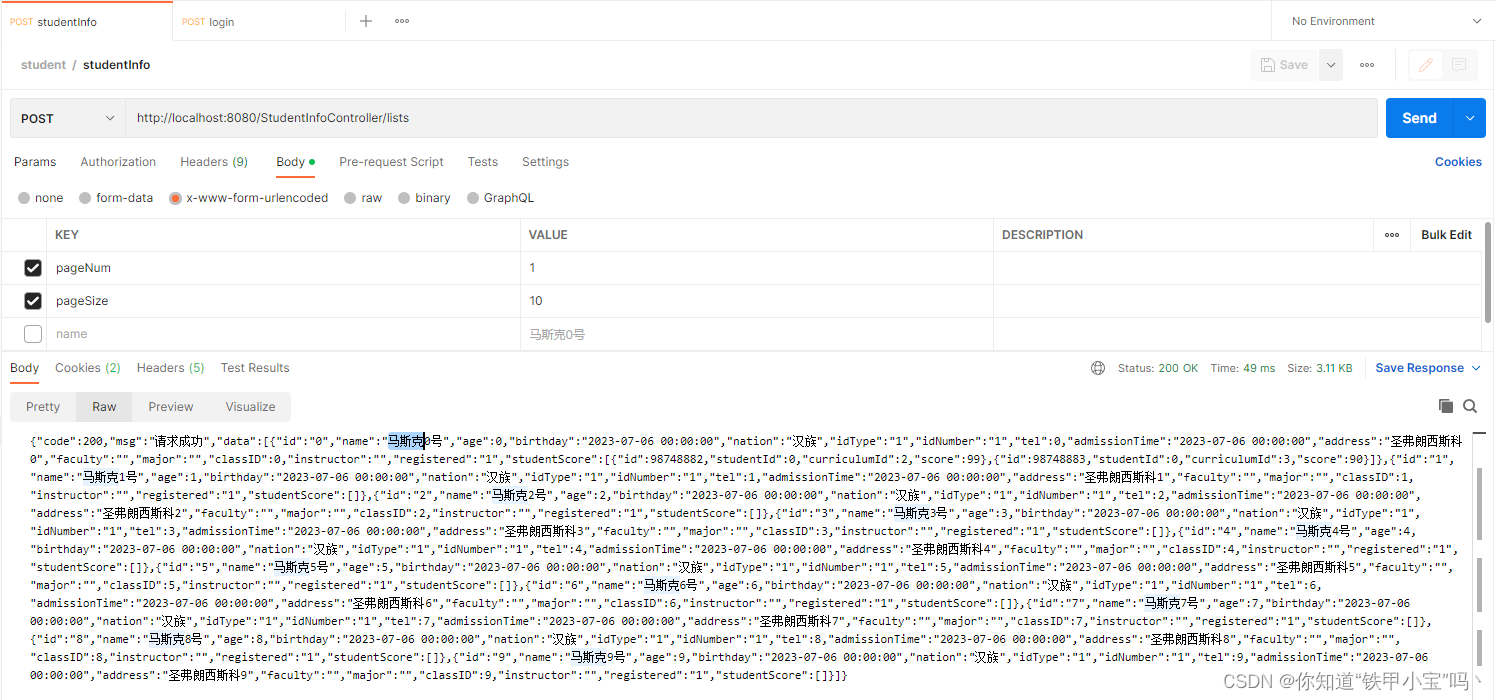
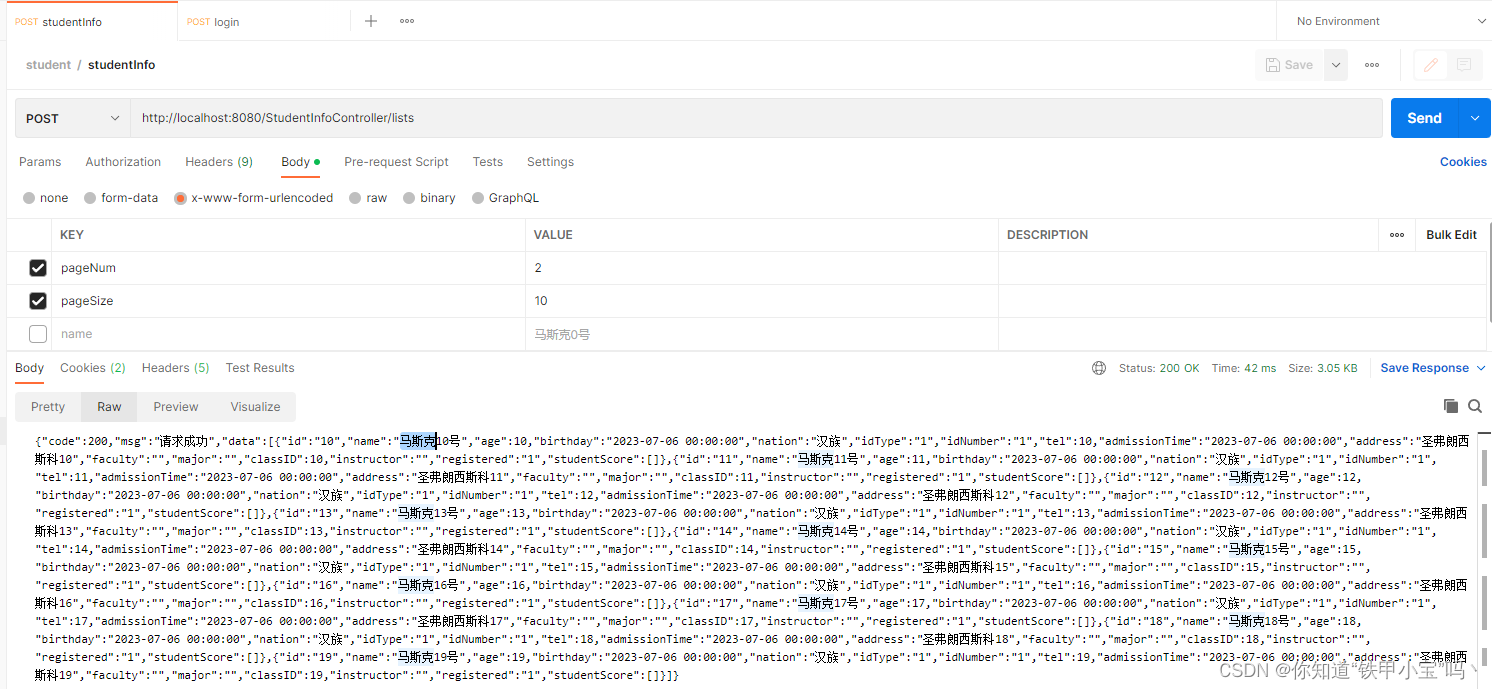
2.根据name
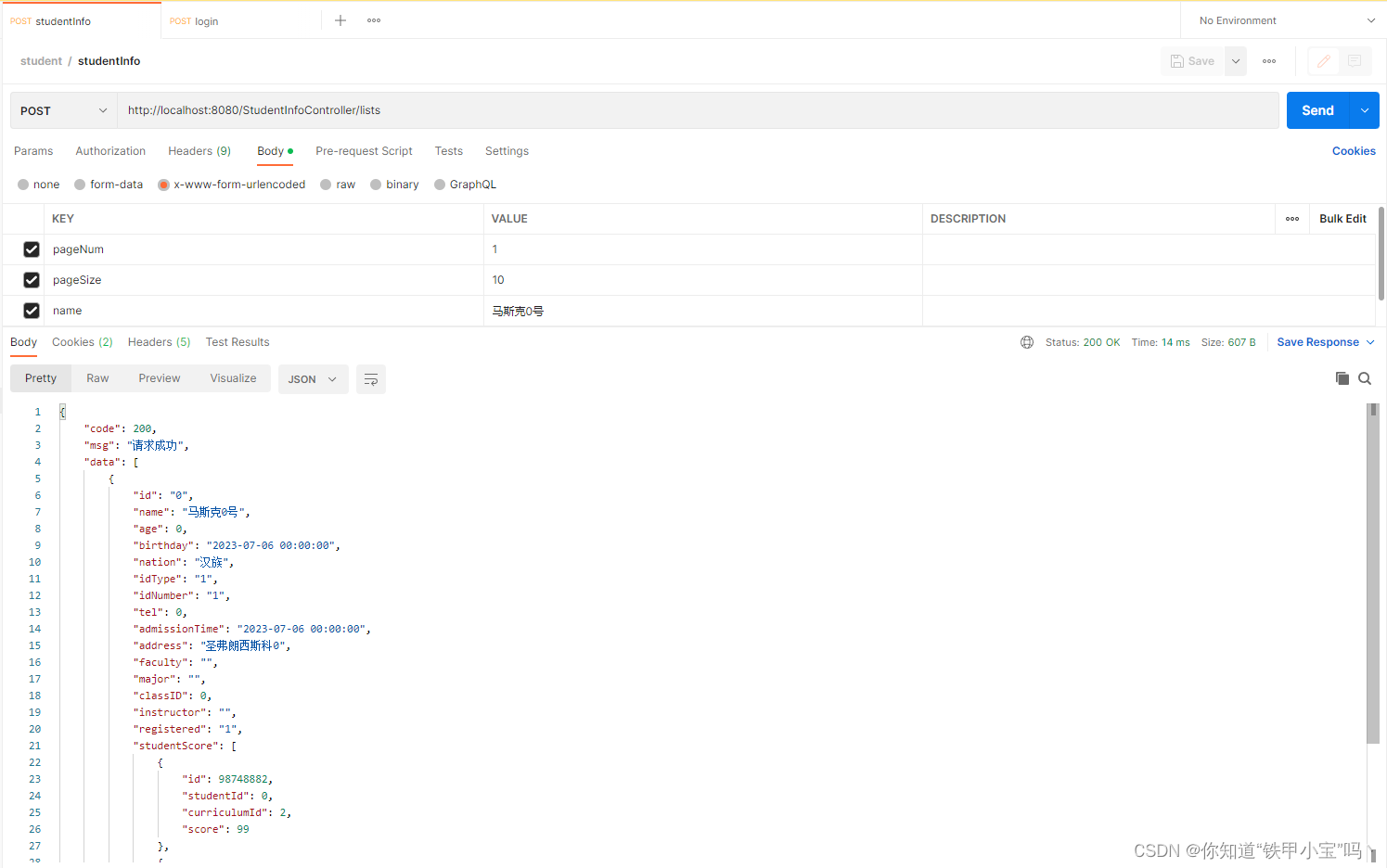
总结
回到顶部