| 如何快速下载huggingface模型/数据—全方法总结 |
文章目录
- 一. 如何快速下载huggingface大模型
- 1.1. IDM(Windows)下载安装连接
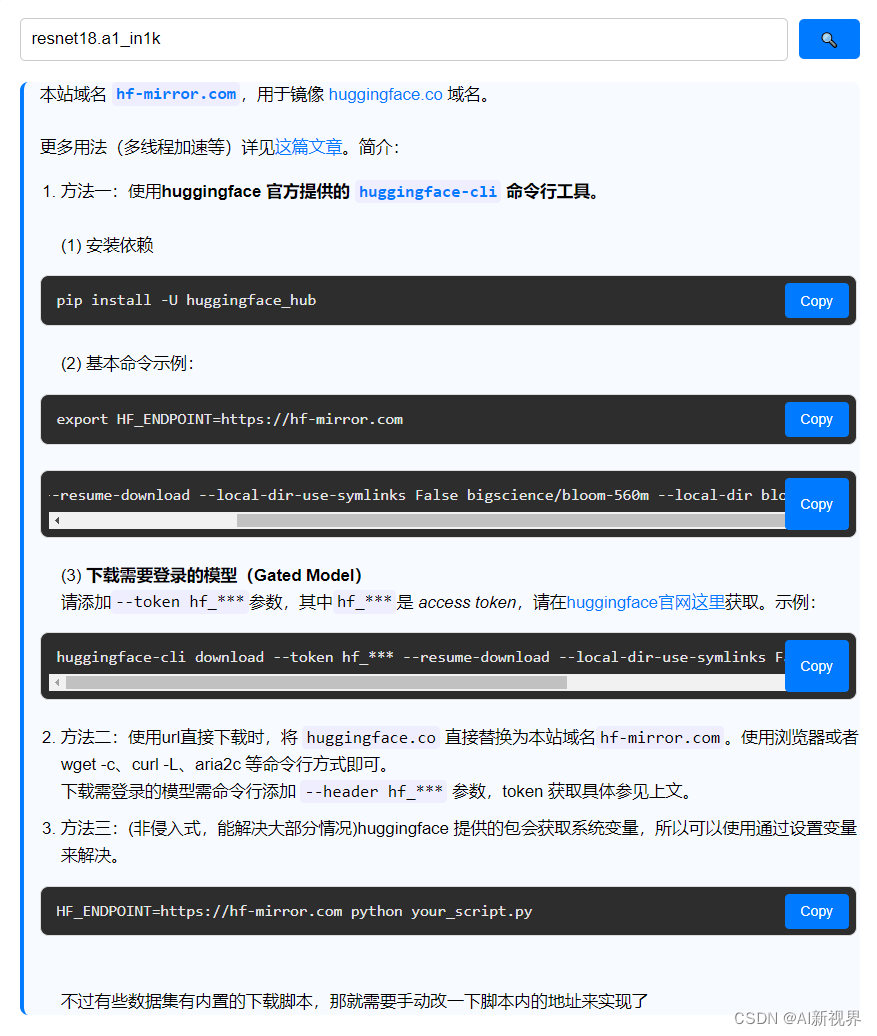
- 1.2. 推荐 huggingface 镜像站
- 1.3. 管理huggingface_hub cache-system(缓存系统)
- 二. 参考文献
一. 如何快速下载huggingface大模型
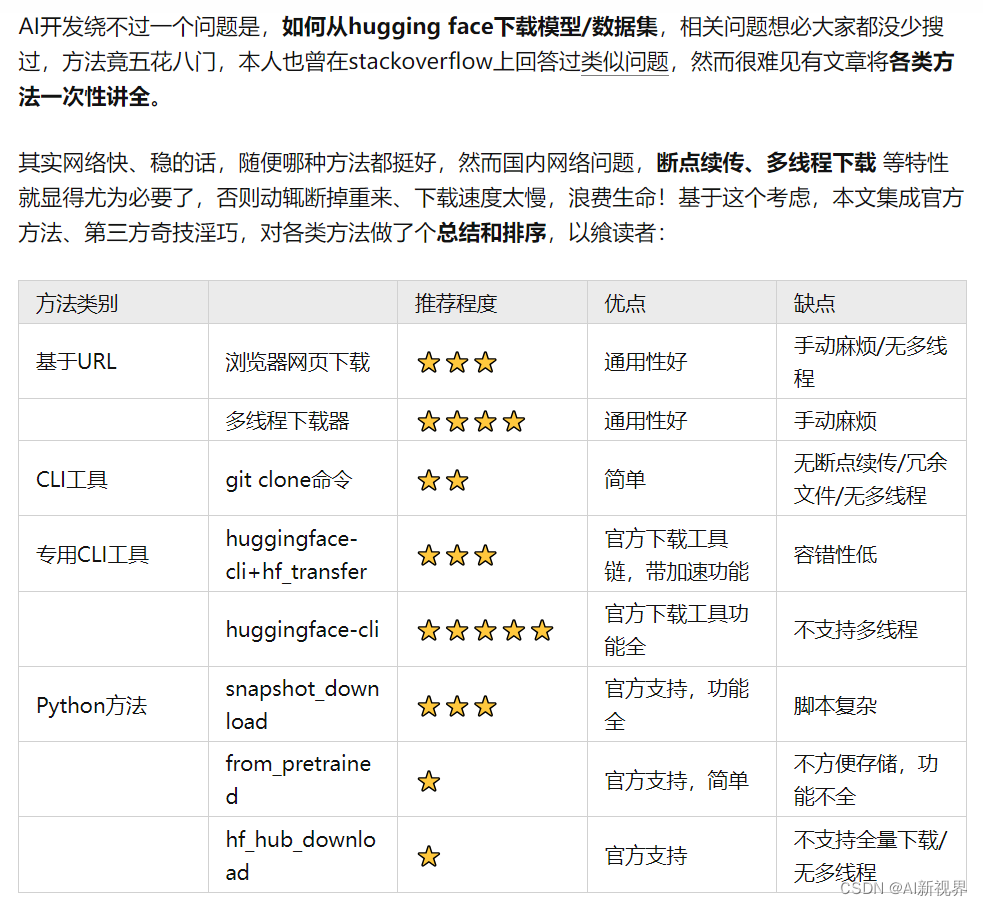
- 推荐 huggingface 镜像站:https://hf-mirror.com/
- 推荐官方的 huggingface-cli 命令行工具、以及个人开发的 hfd 脚本。
- 详细可以参考原作者个人网站:https://padeoe.com/huggingface-large-models-downloader/
- 详细可以参考原作者知乎连接:https://zhuanlan.zhihu.com/p/663712983
1.1. IDM(Windows)下载安装连接
- Internet Download Manager,全球最佳下载利器。Internet Download Manager (简称IDM) 是一款Windows 平台功能强大的多线程下载工具,国外非常受欢迎。支持断点续传,支持嗅探视频音频,接管所有浏览器,具有站点抓取、批量下载队列、计划任务下载,自动识别文件名、静默下载、网盘下载支持等功能。
- Internet Download Manager IDM 中文便携版 v6.42.2:https://www.ahhhhfs.com/11659/
1.2. 推荐 huggingface 镜像站
pip install -U huggingface_hub
export HF_ENDPOINT=https://hf-mirror.com
huggingface-cli download --resume-download --local-dir-use-symlinks False bigscience/bloom-560m --local-dir bloom-560m
huggingface-cli download --token hf_*** --resume-download --local-dir-use-symlinks False meta-llama/Llama-2-7b-hf --local-dir Llama-2-7b-hf
HF_ENDPOINT=https://hf-mirror.com python your_script.py
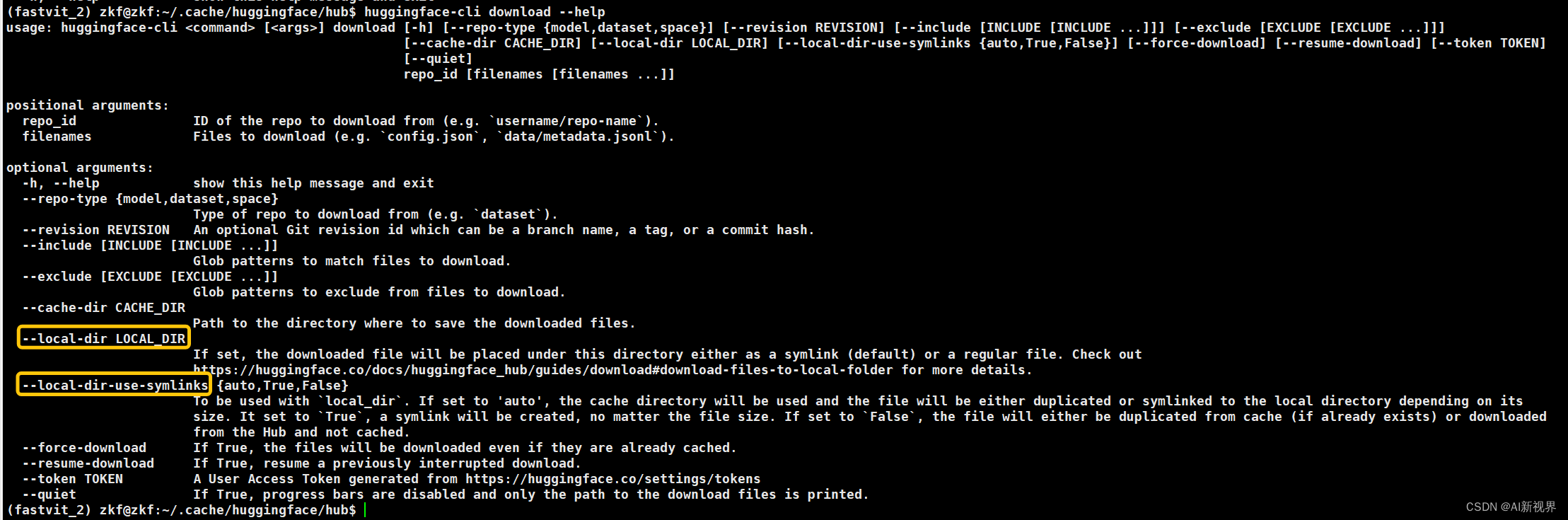
- https://huggingface.co/docs/huggingface_hub/guides/download#download-files-to-local-folder
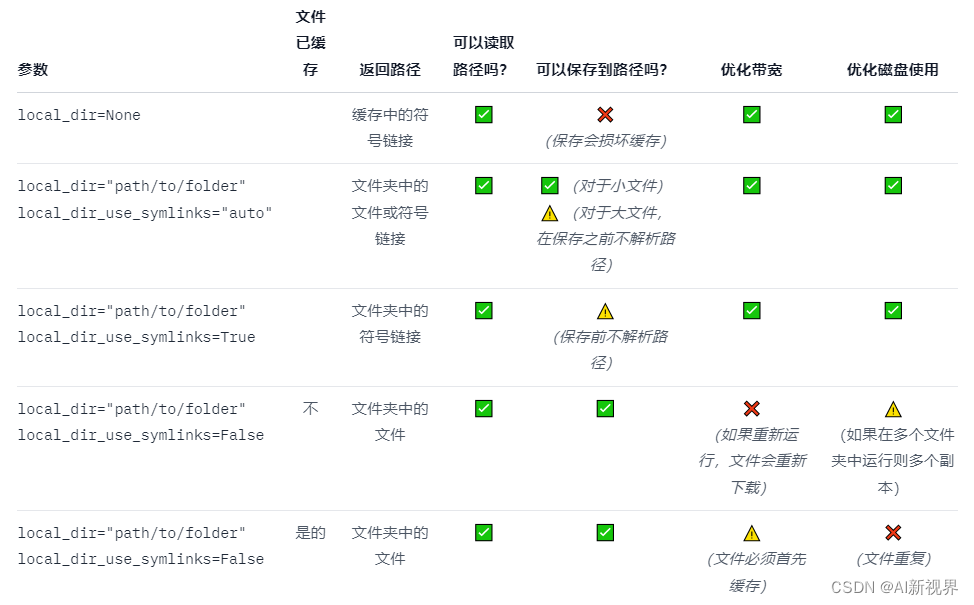
1.3. 管理huggingface_hub cache-system(缓存系统)
- https://huggingface.co/docs/huggingface_hub/guides/manage-cache

二. 参考文献
- 详细可以参考原作者个人网站:https://padeoe.com/huggingface-large-models-downloader/
- 详细可以参考原作者知乎连接:https://zhuanlan.zhihu.com/p/663712983

